The AI landscape shifted fundamentally on March 5, 2026, with the release of OpenAI’s GPT-5.4. When combined with OpenClaw—the viral open-source AI agent framework—it creates an unprecedented toolset for developers and automation engineers. This guide breaks down why the OpenClaw GPT 5.4 synergy is redefining autonomous workflows and how you can get it running in your environment today.
The Core Technologies
What Is OpenClaw?
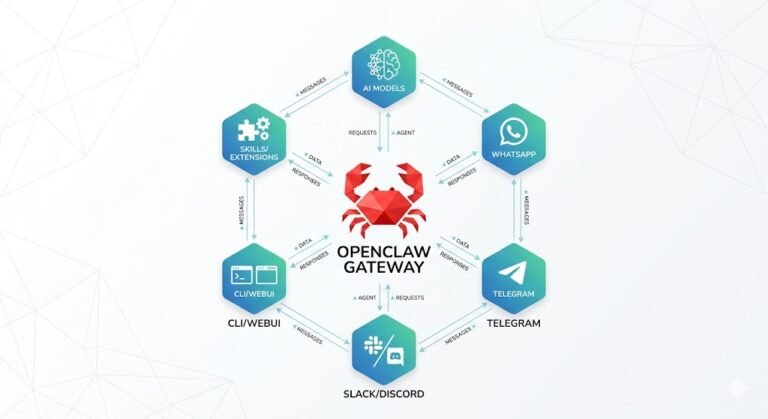
OpenClaw is an open-source framework that turns passive AI models into proactive, autonomous agents. Instead of just answering prompts, OpenClaw interprets complex goals, leverages a modular skill system, and executes multi-step tasks across your local file system and messaging platforms (like Slack and Discord). Its self-hosted architecture ensures complete data privacy while maintaining a persistent, vector-based memory.
What Is GPT-5.4?
GPT-5.4 is OpenAI’s latest frontier model, precision-engineered for professional workflows. It boasts a massive 1M+ token context window, state-of-the-art coding capabilities inherited from Codex, and a revolutionary reasoning.effort parameter to balance cost and compute. Most importantly, it is the first general-purpose model with native computer-use capabilities
Why OpenClaw GPT 5.4 is a Game-Changer
Pairing OpenClaw’s agentic architecture with GPT-5.4 creates an automation powerhouse. Here is why early adopters are making it their default configuration:
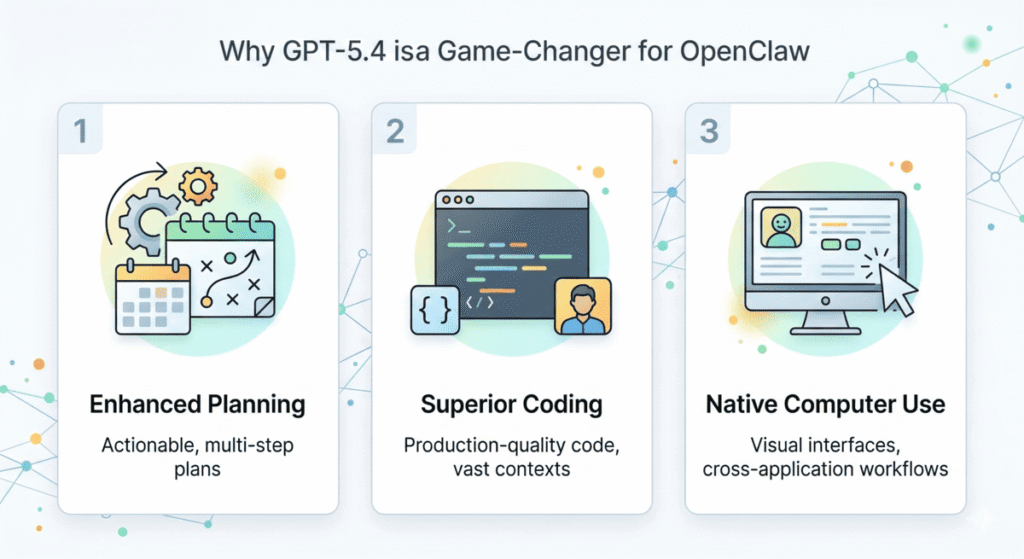
Flawless Action Summaries & Planning: GPT-5.4 consistently outperforms previous generation models in structuring actionable, edge-case-aware plans. This drastically reduces the need for human intervention during complex agent tasks.
Vast Context for Superior Coding: With a 1M+ token window, your OpenClaw agent isn’t just looking at snippets; it can analyze, refactor, and test your entire project architecture at once.
Native Computer Use: This is the killer feature. GPT-5.4 allows OpenClaw agents to visually navigate desktop applications, click through web forms, and execute cross-application workflows just like a human operator.
Massive Cost Efficiency: Thanks to architectural optimizations, GPT-5.4 delivers a reported 47% improvement in token efficiency, meaning you can run your OpenClaw agents longer and harder for less money.
Quick-Start Integration Guide
Getting OpenClaw GPT 5.4 up and running requires just a few targeted steps.
- Secure API Access: Ensure your OpenAI account is approved for the
gpt-5.4orgpt-5.4-promodels. Alternatively, grab an API key from OpenRouter (model path:openai/gpt-5.4). - Update OpenClaw Configuration: Navigate to your
~/.openclaw/directory. Open yourmodels.jsonorconfig.yamlfile and add your new API credentials. (Pro-tip: Always use environment variables for your keys rather than hardcoding them). - Sync Model Routing: If GPT-5.4 isn’t showing up in your local UI, run
openclaw updatein your terminal to pull the latest model registry definitions from GitHub. - Test the Deployment: Send a highly contextual query to your agent. Monitor your API dashboard to confirm the tokens are routing correctly through the 5.4 endpoint.
How It Stacks Up: A Quick Comparison
If you are wondering whether to upgrade your agents, here is how the new model compares to the previous heavyweights in the OpenClaw ecosystem:
| Feature | GPT-5.4 | GPT-5.3-Codex | Opus 4.6 |
| Context Window | 1M+ tokens | 200K tokens | 200K tokens |
| Native Computer Use | Yes | No | Limited |
| Planning Quality | Excellent | Good | Very Good |
| Token Efficiency | +47% | Baseline | Baseline |
Real-World Applications
Software Development: Deploy an agent that monitors your GitHub repository, reviews PRs, writes tests, and navigates your IDE to execute build commands autonomously.
Deep Research Automation: Command OpenClaw to scour the web, synthesize data from dozens of massive PDFs, and format a comprehensive brief without losing context midway.
Legacy Business Processes: Use GPT-5.4’s visual interface capabilities to have OpenClaw extract data from an email, log into an old CRM that lacks an API, and manually input the records.
Troubleshooting Common Setup Issues
Even with a streamlined process, integrating bleeding-edge models can occasionally throw a curveball. If your OpenClaw GPT 5.4 deployment isn’t working flawlessly out of the box, check these common culprits:
- Model Not Selectable in UI: If GPT-5.4 isn’t showing up in your dropdown after configuration, you are likely on an older development build of OpenClaw. Running
openclaw updatevia your CLI usually fixes this. If it persists, check GitHub issue #36817 for the latest community workarounds. - API Authentication Errors: Double-check that you are passing the correct model string. If you are using OpenRouter, ensure your path is strictly
openai/gpt-5.4. For direct OpenAI API users, verify your tier supports the new frontier models. - Context Window Truncation: If your agent suddenly “forgets” multi-step instructions, check your
config.yaml. Ensure themax_tokensand context window limits are explicitly updated to leverage GPT-5.4’s 1M+ capacity, rather than defaulting to older, smaller limits.
Mastering the reasoning.effort Parameter
One of the most powerful new tools in your arsenal is the reasoning.effort configuration. Because autonomous agents can rapidly consume tokens, tuning this parameter is the secret to scaling your OpenClaw workflows without breaking the bank.
- Low Effort: Perfect for routine tasks like basic web scraping, parsing simple documents, or standard data entry. It executes quickly with minimal compute overhead.
- Medium Effort: The ideal baseline for daily agentic workflows, including standard code generation, drafting emails, and interacting with basic APIs.
- High Effort: Reserve this for complex, multi-step planning, navigating legacy desktop software via visual interfaces, or refactoring massive, interdependent codebases.
Security, Privacy, and Enterprise Governance
Deploying autonomous agents with the power to read your screen and navigate your desktop requires a proactive approach to security. While OpenClaw’s self-hosted architecture gives you complete control over your local environment, remember that GPT-5.4 relies on external API calls.
- Data Transmission: Be mindful that screenshots and context shared with GPT-5.4 are processed by OpenAI or OpenRouter. Avoid exposing highly sensitive Personally Identifiable Information (PII) or unencrypted proprietary secrets unless you have an enterprise data processing agreement in place.
- Sandboxing: When allowing OpenClaw to execute code autonomously, run your agents inside a secure container (like Docker) or a dedicated virtual machine. This prevents accidental system-level modifications.
- Audit Trails: Enable OpenClaw’s verbose logging to keep a strict record of every action your agent takes, ensuring compliance and making it easier to debug rogue behavior.
Final Thoughts & Strategic Advice
While the capabilities are thrilling, remember that powerful agents consume tokens quickly. Set firm budget caps in your API dashboard and experiment with the reasoning.effort parameter to find the sweet spot between genius-level output and budget-friendly compute. Keep your OpenClaw installation updated, as the community is patching in new optimizations for GPT-5.4 daily.