Discover how OpenClaw skills transform your AI assistant from a simple chatbot into a powerful automation engine. This comprehensive guide covers everything from installation to advanced skill configurations
What Are OpenClaw Skills?
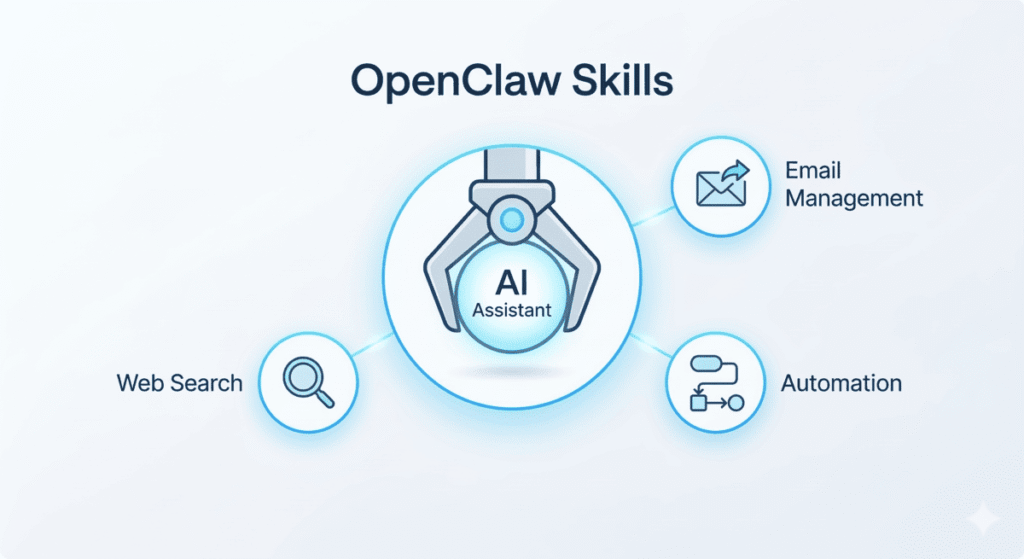
OpenClaw skills are modular capabilities that extend the functionality of your personal AI assistant. Think of them as apps for your AI agent, each designed to perform specific tasks ranging from web searches and email management to complex workflow automations.
With over 5,400 skills available in the official OpenClaw Skills Registry (ClawHub), users can customize their AI assistant to handle virtually any digital task. These skills operate locally on your machine, ensuring privacy while delivering powerful automation capabilities that integrate seamlessly with your existing tools and services.
Key Distinction: Local vs. Cloud AI
Unlike cloud-based AI assistants that require constant internet connectivity and raise privacy concerns, OpenClaw runs directly on your hardware. This local-first approach means your data stays on your machine while still providing access to sophisticated AI capabilities. The OpenClaw skills ecosystem builds upon this foundation, offering a plugin-like architecture where each skill teaches the agent how to use specific tools effectively. Whether you need to automate email responses, manage your calendar, or interact with external APIs, there’s likely a skill designed for that purpose.
| Feature | OpenClaw Skills (Local) | Cloud AI Assistants |
| Data Privacy | High (Data stays on-device) | Low (Data processed in cloud) |
| Internet Dependency | Minimal (Only for external APIs) | Required for all operations |
| Latency | Low (Local execution) | Variable (Internet speed dependent) |
| Customization | Extensive (5,400+ modular skills) | Limited (Vendor-defined) |
| Architecture | AgentSkills compatible | Propriertary black box |
Understanding the OpenClaw Skills Architecture
The OpenClaw skills system uses AgentSkills-compatible skill folders, each containing a SKILL.md file with YAML frontmatter and detailed instructions.
When OpenClaw initializes, it loads bundled skills plus optional local overrides, filtering them based on your environment configuration and available binaries. This architecture ensures that skills activate only when their dependencies are met, preventing errors and maintaining system stability. The modular design also allows developers to create custom OpenClaw skills tailored to specific workflows without modifying the core application.
The ClawHub registry serves as the central repository for community-built skills, functioning similarly to npm for JavaScript packages. Developers can publish, version, search, and install reusable skills through this platform. The registry includes filtering mechanisms to help users:
- Find skills matching their needs
- Filter by categories (Productivity, Development, Communication, etc.)
Quality varies across community contributions, making it essential to evaluate skills based on documentation quality, update frequency, and community feedback before installation.
Essential OpenClaw Skills for Maximum Productivity
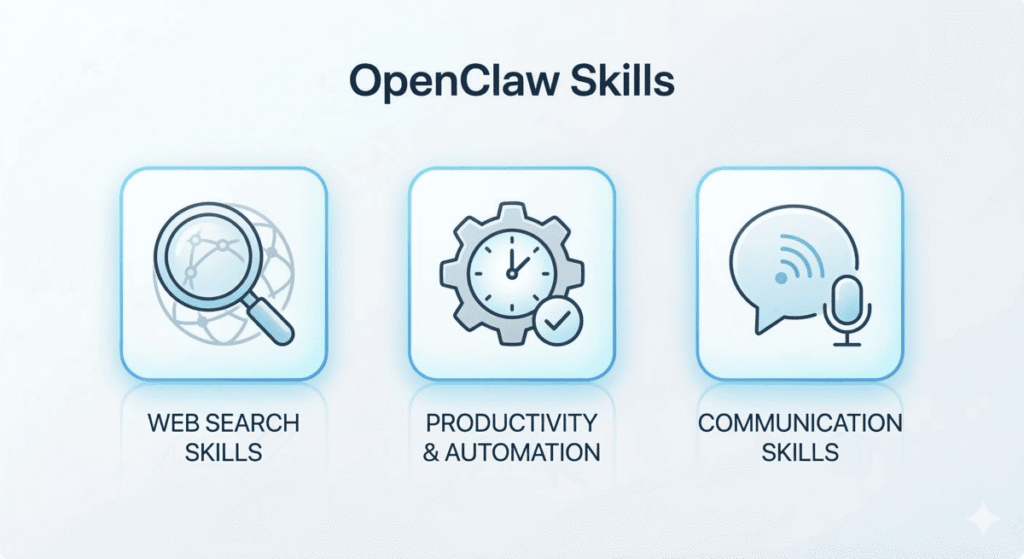
The most popular OpenClaw skills are frequently those that connect to real-world productivity tools. Here are some key categories and examples.
Web Search Skills
Tavily Search and Exa Search rank among the most popular web search skills for OpenClaw. These skills enable your AI assistant to retrieve real-time information from the internet, fact-check claims, and provide up-to-date responses. Tavily excels at research-oriented queries with its ability to aggregate multiple sources, while Exa offers AI-powered search capabilities optimized for finding relevant content quickly. Both integrate seamlessly with OpenClaw’s conversation flow, allowing natural language queries without manual browser searches.
Productivity and Automation Skills
The Summarize skill processes long documents, articles, or conversation threads into concise summaries, saving time on information consumption. Composio integration skills connect OpenClaw to hundreds of third-party applications including Gmail, Slack, and Google Workspace. The N8N Workflow skill bridges OpenClaw with the N8N automation platform, enabling complex multi-step workflows that span multiple services. For self-improvement enthusiasts, the Self-Improving Agent skill allows OpenClaw to learn from interactions and refine its responses over time.
Communication Skills
The WhatsApp CLI skill enables direct message composition and management through WhatsApp, while the Eleven Labs Agent skill adds text-to-speech capabilities for voice-based interactions. GOG (Good Old Games) skill demonstrates the versatility of the platform by allowing users to interact with gaming platforms directly through their AI assistant. These communication-focused OpenClaw skills transform OpenClaw from a simple chat interface into a multi-modal assistant capable of interacting across various platforms and mediums.
Installing OpenClaw Skills: Step-by-Step Guide
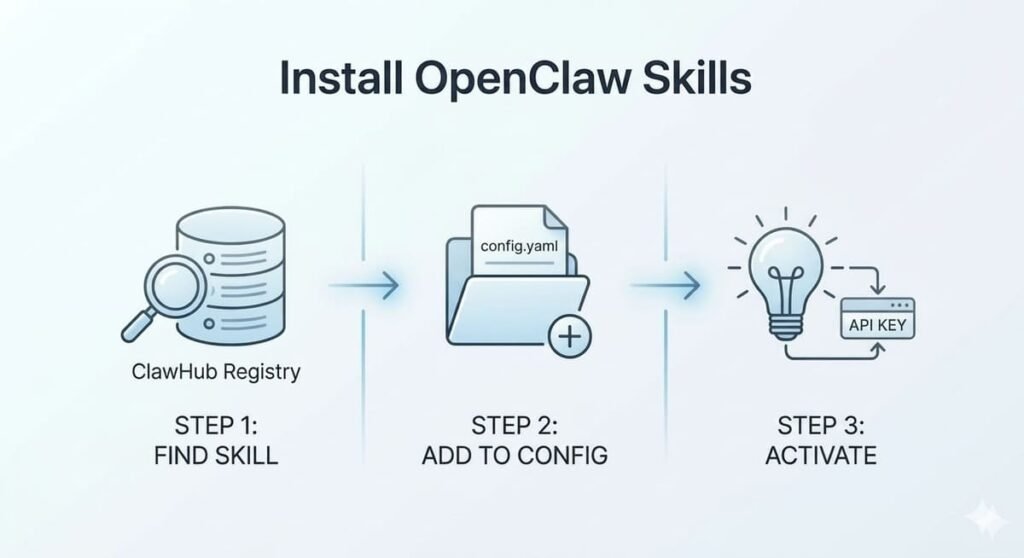
Installing OpenClaw skills follows a straightforward process.
- Identify Skill: First, identify the skill you need through the ClawHub registry or community recommendations.
- Edit Config: Navigate to your OpenClaw configuration directory and add the skill to your enabled skills list.
- Activate: For skills requiring API keys or external credentials, configure the necessary environment variables before activation. The installer script handles Node.js detection and dependency management automatically, making the process accessible even for users without technical backgrounds.
Local NVIDIA RTX Optimization
NVIDIA RTX GPU users can leverage optimized local inference apps for enhanced performance, running OpenClaw skills entirely on local hardware without external API dependencies. This configuration delivers faster response times and complete data privacy, ideal for sensitive work environments. The official documentation provides detailed instructions for both VPS/cloud hosting and local GPU setups, ensuring flexibility across different deployment scenarios.
Limitations and Considerations
While the OpenClaw skills ecosystem offers tremendous flexibility, users should exercise caution when installing community-developed skills. Some skills may have incomplete documentation, security vulnerabilities, or compatibility issues with specific system configurations.
- Always review skill source code when available
- Verify the publisher’s reputation
- Test new skills in isolated environments before production use
Skills that require extensive system permissions should undergo thorough security assessment, as they could potentially access sensitive data or execute unauthorized operations.
Getting Started with OpenClaw Skills Today
OpenClaw skills represent a paradigm shift in personal AI assistance, moving beyond simple question-answering to actionable task automation. By leveraging the extensive skills registry, users can build customized AI workflows that handle real-world tasks across email, calendars, web research, and third-party integrations.
Start with essential OpenClaw skills like web search and summarization, then expand into domain-specific capabilities as your needs evolve. The combination of local execution, privacy preservation, and extensibility makes OpenClaw skills an invaluable tool for professionals seeking to automate their digital workflows without sacrificing data security.
Need help setting things up? If you’re looking to skip the technical setup and get straight to building your workflows, reach out to us for professional OpenClaw installation and configuration services tailored to your environment.