OpenClaw GitHub represents one of the most vital open-source AI assistant projects available, having rapidly secured over 300,000 stars. This technical guide provides a comprehensive overview of the OpenClaw ecosystem, its architecture, and how to get started.
What sets OpenClaw apart from cloud-dependent alternatives is its core philosophy: local-first deployment, multi-channel support, and complete extensibility. Unlike others, OpenClaw gives you control over your data while integrating seamlessly into your existing communication workflows.
1. Background and Core Components
1.1 Project Evolution and Community
Developed originally by Peter Steinberger, OpenClaw has grown into a robust community-driven project. The central repository (openclaw/openclaw) handles all development on GitHub. Released under the MIT license, it moves at a blistering pace, using a date-based versioning scheme (e.g., vYYYY.M.D). March 2026 is the latest stable release, supported by three development channels: stable, beta, and dev.
1.2 Architectural Blueprint
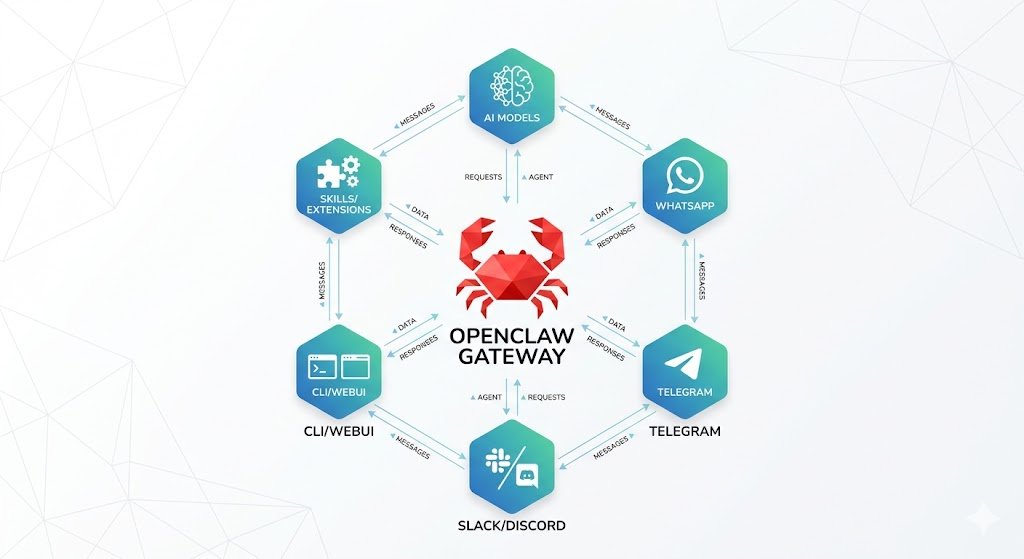
The heart of the OpenClaw architecture is the Gateway. This acts as the universal WebSocket control plane for sessions, presence, configuration, and events, typically binding to ws://127.0.0.1:18789
| Component | Description |
| Gateway | Central control plane for sessions, config, Control UI, and Canvas host |
| Pi Agent | Agent runtime operating in RPC mode with tool and block streaming. |
| CLI Surface | Command-line interface for gateway management and diagnostics. |
| Channel Adapters | Integration modules for WhatsApp, Telegram, Slack, etc. |
The system uses a hub-and-spoke model. Messages from external channels flow through an adapter into the Gateway and are routed to the agent. Responses reverse this path. This allows for powerful features like persistent context across channels and multi-agent routing.
2. Getting Started with Installation
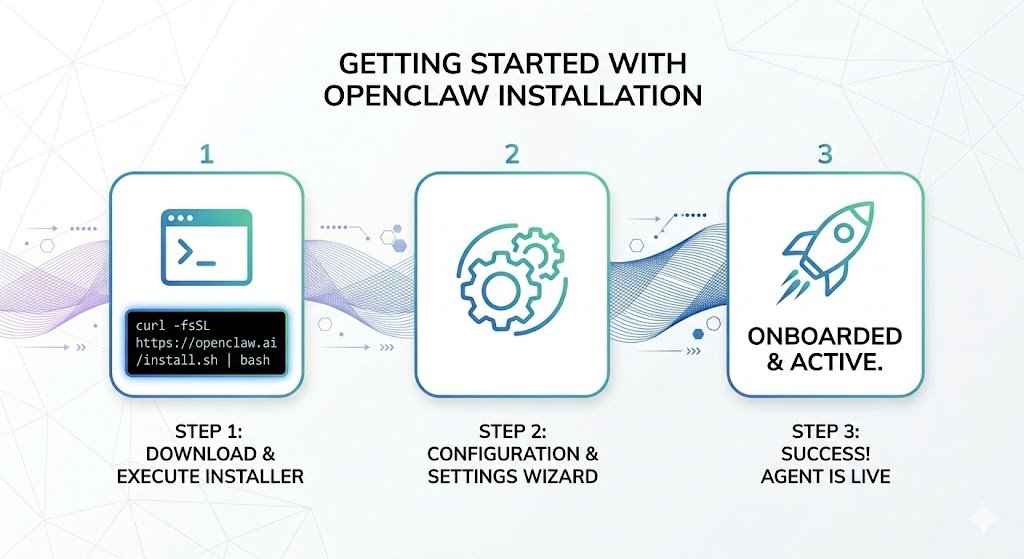
Before you begin, ensure your system has Node.js v22 or later (Node 24 is recommended). OpenClaw runs on macOS, Linux, and Windows (via WSL2).
2.1 Recommended Installation
The easiest method is the installer script, which handles automatic detection and starts the onboarding wizard.
For macOS/Linux/WSL2:
curl -fsSL https://openclaw.ai/install.sh | bash
For Windows PowerShell:
iwr -useb https://openclaw.ai/install.ps1 | iex2.2 Post-Installation Setup
Once installed, initiate the onboarding wizard to configure authentication, gateway settings, and optional channel connections. Use the --install-daemon flag to set up the Gateway as a system service.
openclaw onboard --install-daemonYou can verify the gateway status with openclaw gateway status or open the browser-based dashboard via openclaw dashboard
3. Key Features and Capabilities
3.1 Unmatched Multi-Channel Communication
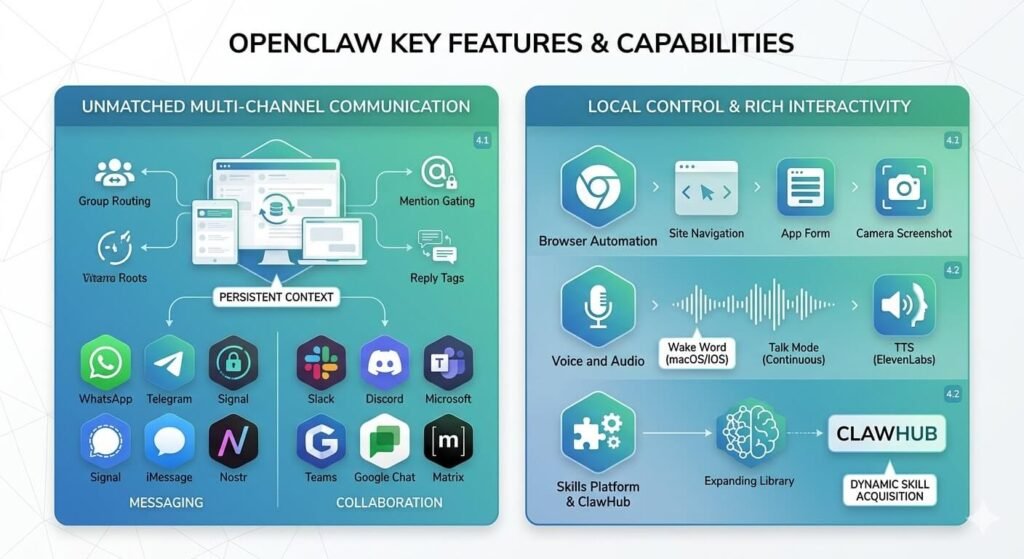
The multi-channel architecture is perhaps OpenClaw’s most compelling feature. You can interact with your AI assistant using platforms you already use daily, with persistent context. Group routing capabilities, mention gating, and reply tags make it equally suitable for team environments.
Supported Channels Include:
- Messaging: WhatsApp, Telegram, Signal, iMessage/BlueBubbles, Nostr
- Collaboration: Slack, Discord, Microsoft Teams, Google Chat, Matrix
3.2 Local Control, Rich Interactivity
OpenClaw is not a passive chatbot. It integrates advanced features that enable true local control:
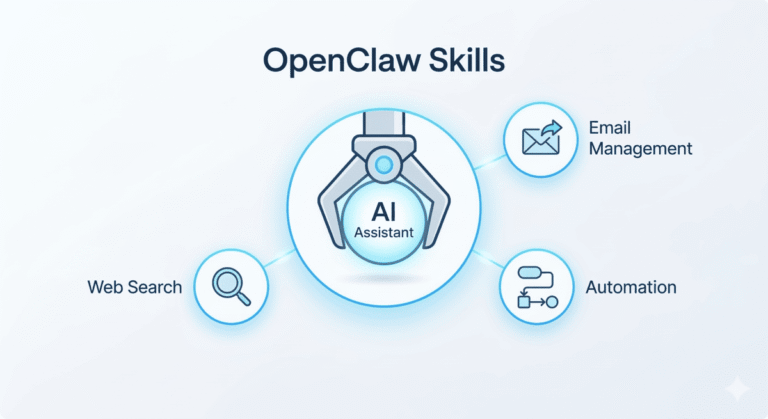
- Browser Automation: Controlled Chrome/Chromium instances can navigate sites, interact with apps, and capture screenshots.
- Voice and Audio: Features include Wake Word detection (macOS/iOS), Talk Mode (continuous voice), and text-to-speech synthesis (via ElevenLabs).
- Skills Platform & ClawHub: Use ClawHub to dynamically search for and acquire new skills, expanding the assistant’s capabilities automatically.
4. Security and Operations
4.1 A Practical Security Model
Security is built-in by design. For single users, the assistant operates with full access rights. For groups and channels, OpenClaw defaults to a Docker-based sandbox (configured with agents.defaults.sandbox.mode: "non-main") to isolate non-main sessions and protect the host system.
Additionally, DM Pairing is the default security for direct messages across platforms. Unknown senders must be approved via a code request, which can be easily managed through the CLI:
openclaw pairing approve <channel> <code>4.2 Vital Operations and Config
For advanced operations, you can manually configure model providers and failover mechanisms in your configuration file (~/.openclaw/openclaw.json).
{
  "agent": {
    "model": "anthropic/claude-opus-4-6"
  }
}
5. Conclusion: The Future of OpenClaw on GitHub
OpenClaw on GitHub marks a significant step forward in open-source AI. Its robust, local-first architecture provides a powerful, private-respecting, and extensible alternative to cloud solutions. For developers and power users, it represents a mature, rapidly evolving platform.
Want to skip the server setup? While deploying OpenClaw from scratch is a rewarding technical project, configuring a secure, optimized Linux environment can be time-consuming. If you’d rather jump straight to using your new AI assistant, I can handle the technical heavy lifting for you. Explore my OpenClaw VPS installation packages to get your completely private, self-hosted assistant running smoothly today.